
Asked at the right moment
The request for a number lands inside a conversation they began, seconds after they asked you something — not in a form they have to go and find.
A comment is not a lead. A name, a phone number and the post they came from is a lead. This is the setup that turns one into the other while they are still looking at your profile — and it runs on the free plan first.
Free to start · No credit card · Official Meta API
Every one saved with the post that produced them
Why this one first
A follower count is rented from the algorithm. A list of people who told you their number is not, and the moment to ask for it is while they are still in the conversation they started.
The request for a number lands inside a conversation they began, seconds after they asked you something — not in a form they have to go and find.
Whatever they answer is written to their contact record automatically. Nothing depends on someone copying a number out of a DM thread later.
Every contact carries the post that produced them, so you can see which reel actually generates leads rather than which one got likes.
The play
Lead generation on Instagram is four stages, and the gap between a post that produces contacts and one that produces likes is almost always a missing stage rather than a bad post.
“Comment PRICE and I’ll send it 👇”
41 comments so far
Stage 01 · the offer
No automation generates leads from a post that asks for nothing. The comment is the signal, and the caption has to earn it.
Stage 02 · the reply
Buying intent decays in minutes. The person who commented at 11pm is a different person by the time you reply at nine the next morning.
Stage 03 · the ask
A cold request for a phone number gets ignored. The same request, half a second after they asked you for something, does not — which is the whole reason this works.
+44 7xxx 44 8891
emily.carter@gmail.com
Stage 04 · the list
A lead you cannot contact again is just a conversation. This is the stage that turns a good week into something that compounds.
Most setups only do stage two. The auto-reply fires, nobody ever asks for anything, and a thousand comments stay a thousand comments. Stages three and four are the difference between engagement and a pipeline.
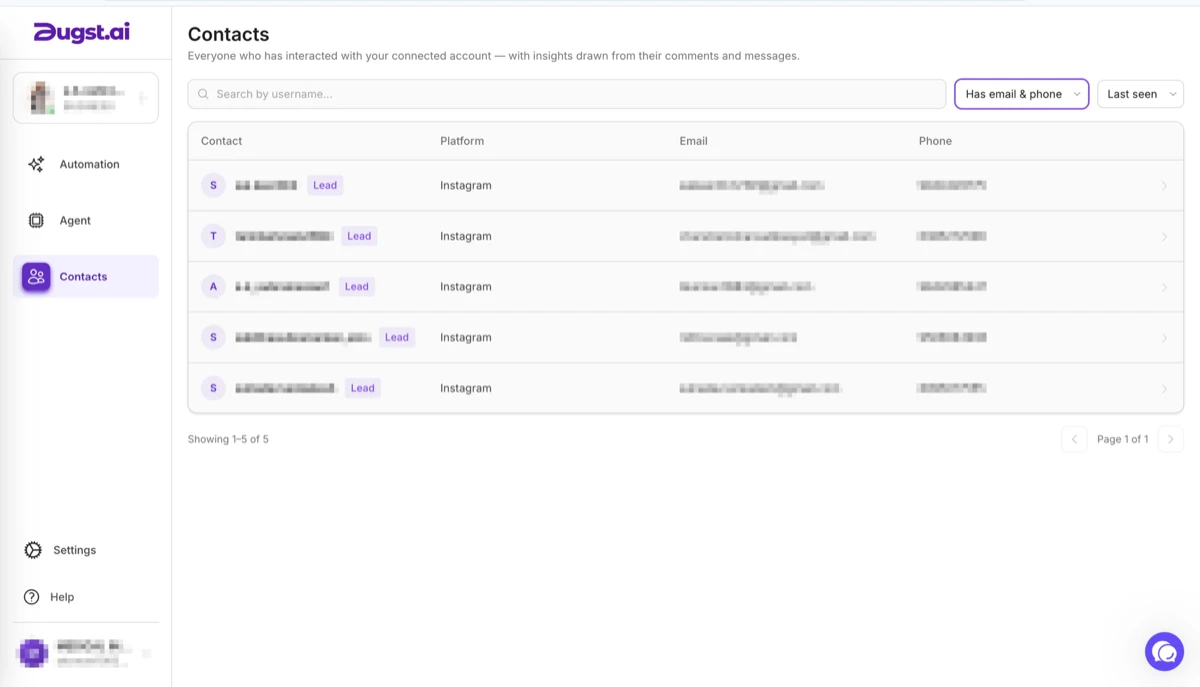
What you get back
Everyone the automation speaks to becomes a contact with whatever the conversation collected — the number, the email, the answers — plus the post that brought them in and the full history of what they asked.
Export it to Excel or your own CRM whenever you like. It stays yours if you downgrade, which is the part that makes this an asset rather than a feature you rent.
The agent
It works on its defaults the moment you switch it on — phone and email, written to the contact. Everything below is what it will do once you ask.
Lead generation
Ask for the contact details inside the conversation they already started — phone number and email as standard, plus anything else you want on the record. This is the part that runs with no setup at all.
Lead qualification
Ask the questions that separate a buyer from a browser: what they are after, which product, what budget, how soon they want to start. You open an inbox that is already sorted instead of four hundred identical “info?” messages.
Create the contact, and keep the CRM current
Everyone it speaks to becomes a contact record, and each answer is written to the field you mapped it to. The record fills as the conversation goes on, with the post that produced them attached to it.
Validate the answer with AI, and retry
It reads each reply and decides whether it is genuinely an answer to what was asked. A blank, a joke or a phone number with four digits does not get filed as a lead — it asks again instead of saving a broken record.
Follow up when nobody replies
Silence is the most common ending to a DM, not refusal. If someone stops responding partway through, the agent follows up rather than leaving the conversation half-finished and the contact half-filled.
One conversation, all five
All of it on one prebuilt agent, included from the Starter plan. See the agents and the flow builder →
Proof
“We used to get 20+ DMs a day about products, and spent hours just replying. With Augst AI we automated everything — replies, lead capture, even exporting contacts to our CRM. It turned Instagram into a real sales channel.”
FAQ
Related
Build this one on the free plan and see how many numbers come back from a single post.
No card · Live in minutes