
Client accounts kept separate
Multiple workspaces are included from the Starter plan, so each client’s automations, contacts and conversations live apart rather than in one shared pile.
You are running this across several client accounts, not one. Every client gets their own workspace — their automations, their contacts, their inbox, their plan — so nothing bleeds between accounts, and a flat price per workspace means the client whose reel goes viral does not eat your margin.
Free to start · No credit card · Official Meta API
The problem
Running DM automation as a service breaks in three predictable places: client data bleeding together, two people answering the same thread, and a bill that moves when a client’s post performs.
Multiple workspaces are included from the Starter plan, so each client’s automations, contacts and conversations live apart rather than in one shared pile.
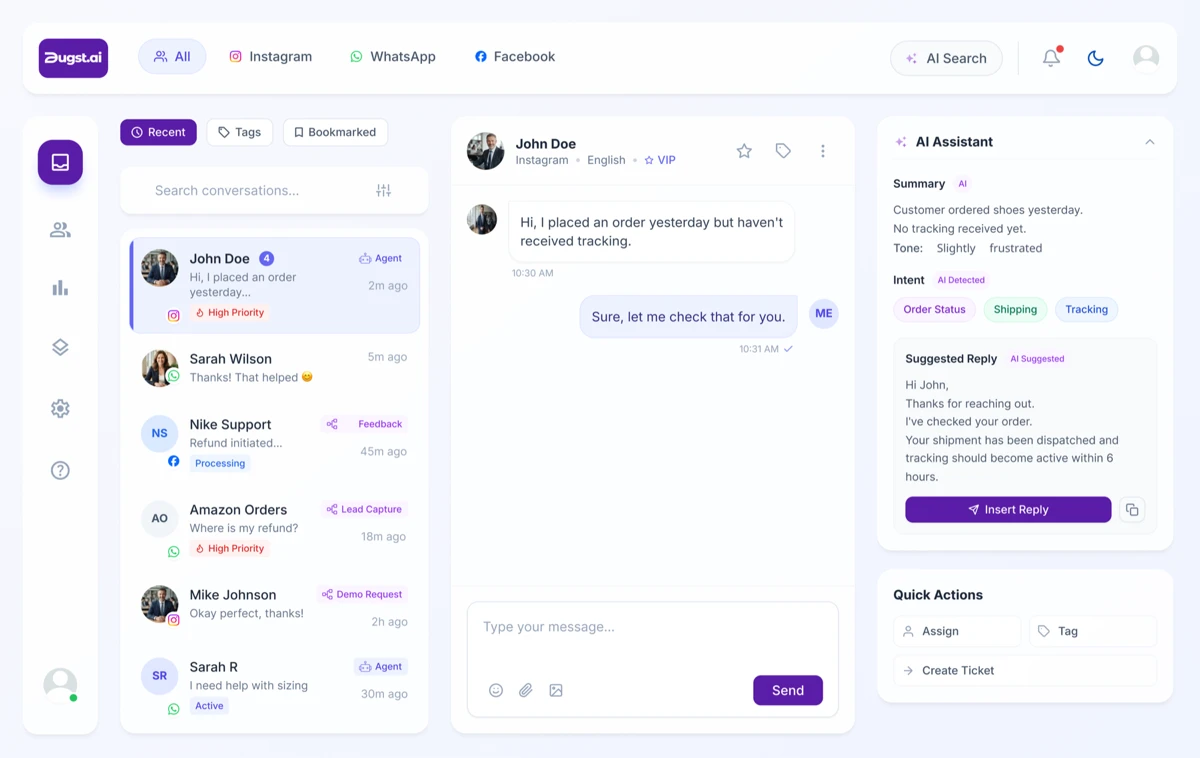
Inside a client’s workspace the Unibox gives that account one queue with assignment, tags and tickets — so a conversation has an owner and nobody answers it twice.
Flat monthly pricing, not per contact or per message. You can put a number in the proposal and it holds whether the client’s post does four thousand views or four million.
Step one
Comment-to-DM is the deliverable clients understand fastest: someone comments and the reply lands in under a second, fired by a keyword or by the AI reading what they meant. Posts, reels, stories, ads and boosted posts all have triggers.
Once you have a setup that works for one client you are repeating a short build rather than inventing it again — the post, the trigger, the reply, the handover.
“We manage personal brands for founders and creators, and their DMs used to be chaos. It replies to leads, collaborations and client enquiries instantly — and still sounds personal, not robotic.”
Step two
“We reply instantly” is a feature. “We hand you sorted leads with phone numbers” is the thing clients renew for.
Ask a question, branch on the answer, send a different ending to each one. You write the conditions in plain English. On the Advanced plan.
The Lead Gen Agent is ready the moment you switch it on — it asks for the phone number or email at the right point and files it. Included from Starter. More prebuilt agents, including appointment booking, are on the way.
DM open-rate tracking is included from Starter, and every person who engaged appears as a contact with the post they came from — so the result is a number rather than a claim.
Step three
On the Business plan a custom agent can be trained on one client’s website, Shopify store or price list, so it answers in their world rather than generically — and a different client gets a different agent in their own workspace.
Each agent deploys across Instagram and Facebook from one place, with WhatsApp coming to the Business plan at no extra cost when it ships.
Custom AI agents are on the Business plan. See how agents are trained →
A client’s agent, contacts and automations stay inside that client’s workspace. Multiple workspaces are included from Starter.
Put each client on the tier their workspace actually needs rather than everyone on the most expensive one, and change it up or down at any time.
Agents answer from the sources you point them at and cite them, so a client can see where a reply came from.
Underneath all of it
Inside a workspace, the Unibox puts that client’s channels in one queue with assignment, tags and tickets, and labels each reply with whether an agent, a flow or a person sent it. There is no single cross-client inbox — you work in the client’s workspace, which is also what keeps their conversations out of everyone else’s.
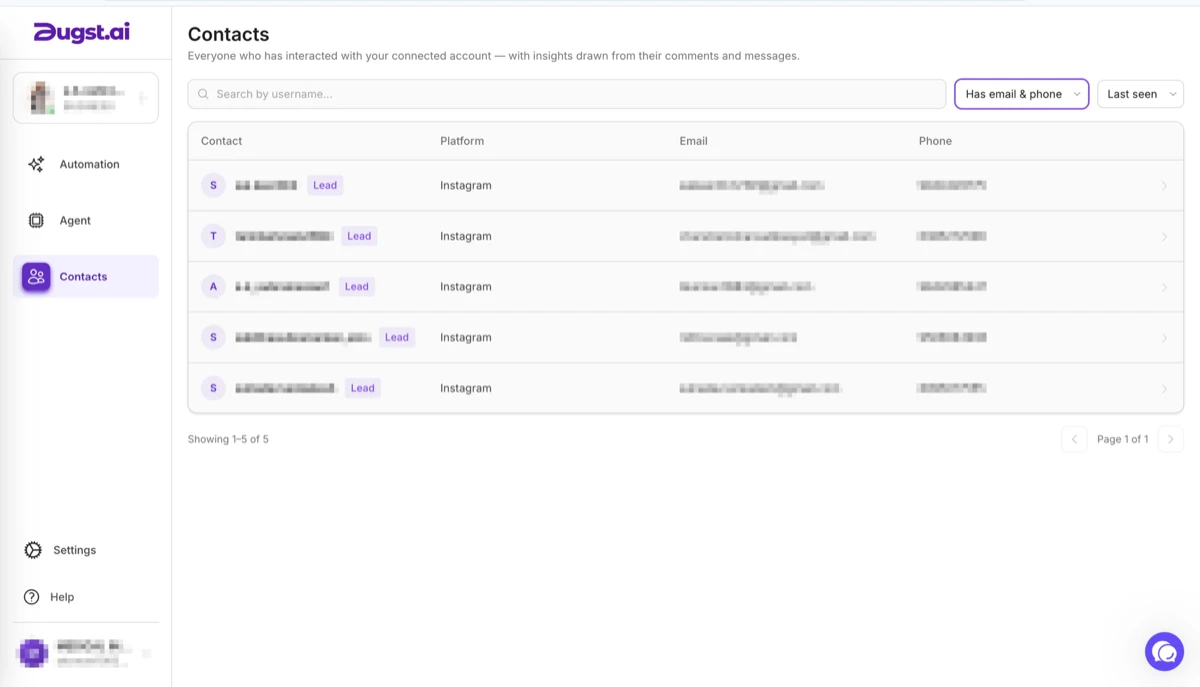
Each workspace builds its own contact list from the numbers and emails collected in conversation. It exports to Excel or the client’s own CRM, which makes it a deliverable you hand over rather than something locked inside your tooling.
Pricing
Pick the plan each client’s workspace actually needs, and change it at any time as the account grows.
Multiple workspaces, unlimited automations, no branding, the AI trigger, ad and story replies, open-rate tracking, contacts and the Lead Gen Agent.
Adds the Unibox with assignment, tags and tickets, plus flows that branch on what someone said. The tier to use when your team is answering for the client.
Adds custom AI agents trained on that client’s own sources, and WhatsApp when it ships, at no extra cost.
Every feature, side by side → · How this compares to Manychat →
Proof
“We manage personal brands for founders and creators, and their DMs used to be chaos. It replies to leads, collaborations and client enquiries instantly — and still sounds personal, not robotic.”
FAQ
Related
The free plan covers three automations, so you can prove the result on one account first.
No card · Live in minutes